How Photographers Can Share Work and Get Client Approvals Without the Back-and-Forth
One-click approvals, status filtering, and password-protected galleries, a cleaner delivery workflow for every shoot.

You have done the hard part. The shoot is wrapped, the culling is done, and the selects are ready. Now comes the part that somehow takes longer than it should: getting your client to actually go through the images and tell you what they want.
You send a Drive link. They open it on their phone, scroll through a folder of filenames, and reply with something like 'I love the ones near the window, maybe three or four of those?' You have 40 shots near a window. You write back asking which ones specifically. They say they will check later. A week passes.
This is not a client problem. It is a tooling problem. When clients do not have a proper way to review and respond, they default to vague language because that is all the situation allows. ReviewRoom gives them a better way, and it makes your job significantly easier as a result.
The U.S. Bureau of Labor Statistics projects approximately 12,700 photography job openings annually through 2034, with the number of photography businesses in the U.S. growing at a 3.7% CAGR BLS: Photographers Occupational Outlook Handbook a growing professional base for whom client approval workflow is a daily business reality.
Key Takeaways
- Clients send vague feedback when the tool does not give them a better option. 'I love the ones near the window' is not unhelpful, it is all a Drive folder allows.
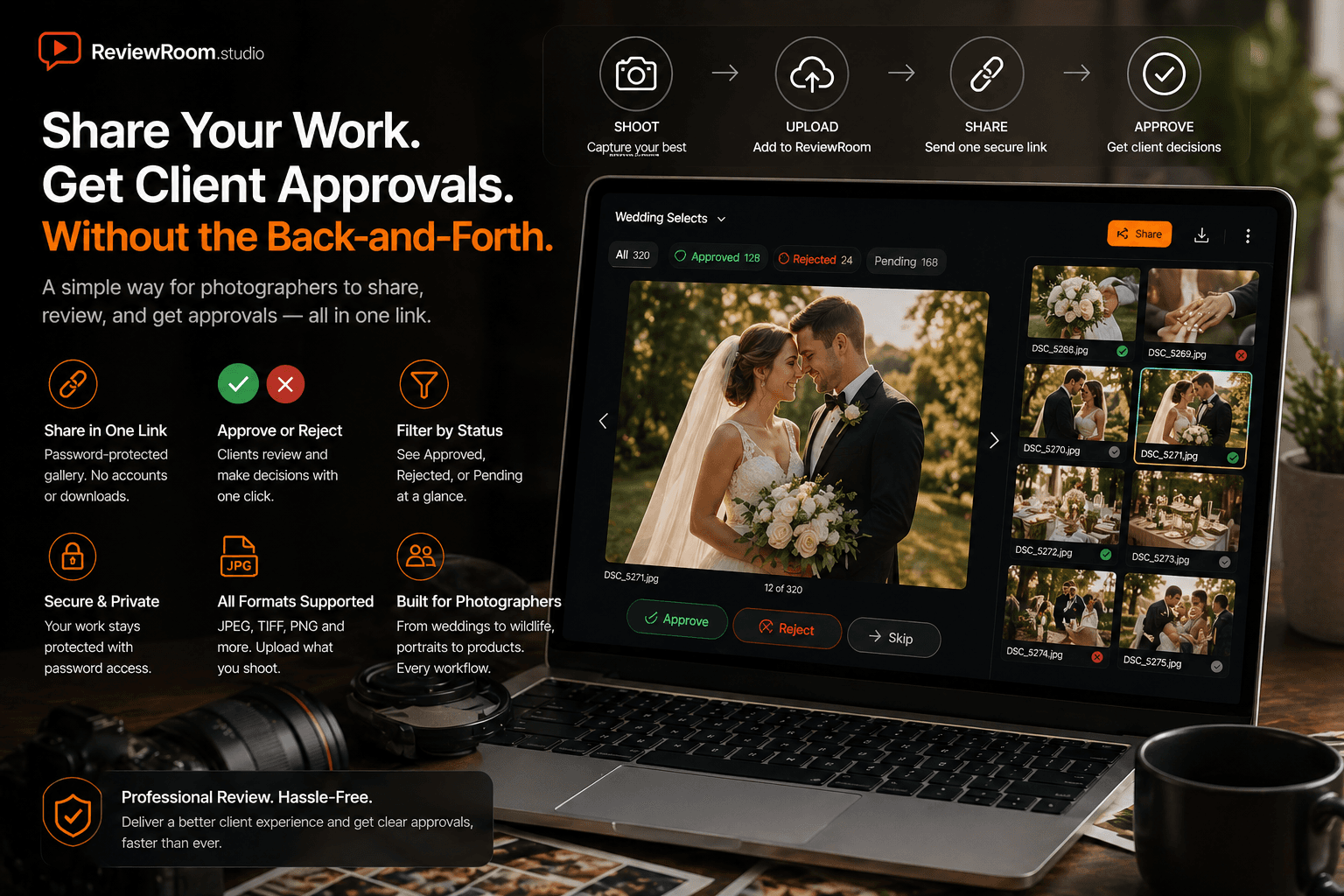
- ReviewRoom's Approve/Reject workflow lets clients click through a gallery and mark each image. You see the result filtered by status, not scattered across an email thread.
- Password-protected links keep pre-publication editorial and exclusive campaign images from circulating before you are ready.
- Free plan: 2 GB storage, unlimited collaborators, core review tools. Pro at $5 per user per month adds 50 GB, password protection, and watermarking.
Approve or Reject, One Click at a Time
Here is where ReviewRoom does something most file sharing tools never even try to do.
As your client goes through the images, all they have to do is look at each one on screen and click Approve or Reject. That is it. No writing down file names, no annotating a PDF, no replying to an email with a list of numbers. They just look at the photo and make a decision.
For a wedding couple going through 300 ceremony shots, this feels completely natural. They sit together, go through the gallery like a photo album, and tap their way through the selects in an evening. For a commercial client reviewing a product shoot, the same simplicity applies. Look at the image, make the call, move on.
Wildlife photographers sending work to a publisher, journalists delivering a shoot to a picture desk, portrait photographers handing over a family session: the workflow is the same regardless of the specialism. The client reviews what is in front of them and marks each image. No confusion, no room for misinterpretation.
Filter by Status and See Exactly Where Things Stand
Once your client has been through the work, you do not have to piece together what they decided from a trail of comments or a list of filenames in a reply email.
You open the playlist and filter by status. Show only Approved, and you see every image the client confirmed. Filter to Rejected and you see what is out. Filter to Pending and you see anything they have not reviewed yet. The whole selection process becomes visible at a glance, with nothing to cross-reference or interpret.
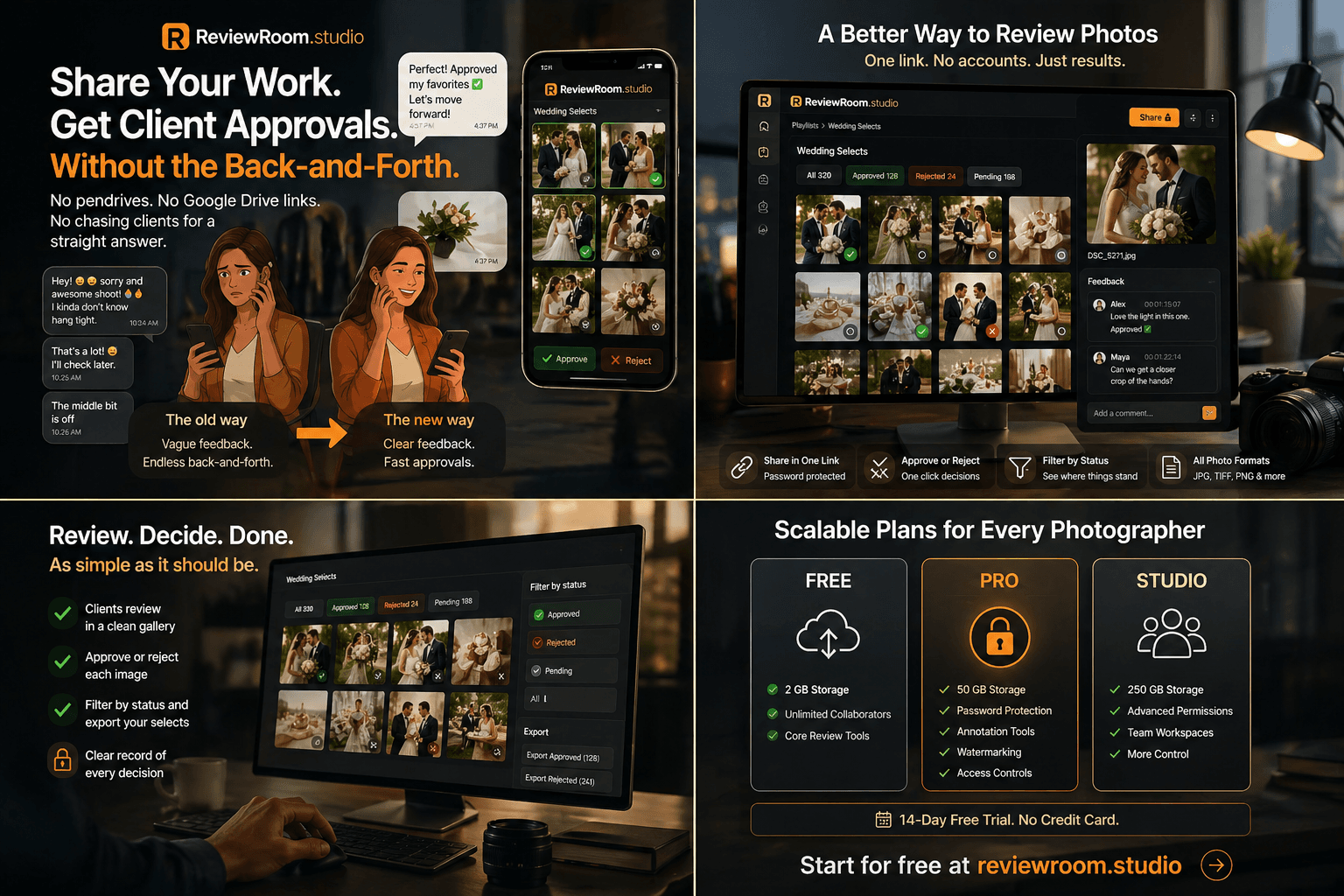
For a large shoot, this is a genuine time saver. A portrait session with 150 selects, a commercial job with multiple scenes, a documentary project with images spanning several days: filtering by status means you go straight to what matters instead of scrolling through the entire set to work out what has been signed off.
There is also a record of it. If a client comes back later and says a particular image was never approved, the status is right there. No ambiguity, no he-said-she-said. The decision is logged.
Your Work Stays Protected Throughout
The password-protected link means only your client can access the gallery. They cannot share the link and have it work for someone else without the password. Once the project is closed, you change the password and access is gone. Pre-publication editorial work, exclusive campaigns, personal portraits: anything that needs to stay private, stays private.
What It Costs
The free plan includes 2 GB of storage, core review tools, and unlimited collaborators on any session. Good enough to try the workflow on a real project before committing to anything.
The Pro plan is $5 per user per month. It adds 50 GB of storage, password-protected playlist sharing, annotation tools, watermarking, and access controls. All paid plans come with a 14-day free trial and no credit card is required to start.
The Handoff Is Part of the Work
How you deliver work and how easy you make the review process is part of the experience you sell as a photographer. Clients remember the chaos of a disorganised approval round just as much as they remember the images.
ReviewRoom makes that part clean. They see the work properly, make their decisions without friction, and you come away with a clear record of exactly what was chosen.
Frequently Asked Questions
Q: How is ReviewRoom different from a standard photo gallery delivery tool?
A: Most gallery tools let clients browse images and email selections. ReviewRoom adds an Approve/Reject decision per image, a filter view showing Approved/Rejected/Pending status, location-specific annotation for detailed feedback, and password-protected access you can revoke after delivery.
Q: Can clients annotate on specific areas of a photo?
A: Yes. Clients can click anywhere on an image and leave a note tied to that exact location. The feedback is spatial, not a vague description in a reply email. A note about the crop or a detail in the background points directly to what they mean.
Q: What happens to my photos in ReviewRoom after a project closes?
A: Your images stay in your ReviewRoom account under your control. After delivery, change the playlist password and the client's link stops working immediately. The images are not deleted from your side, and you can share them again with a new password if the client returns.
Start for free at reviewroom.studio No credit card required.
Try ReviewRoom free
Fast, secure video and image review for creative teams. Free plan available, no credit card required.
Start Collaborating Free