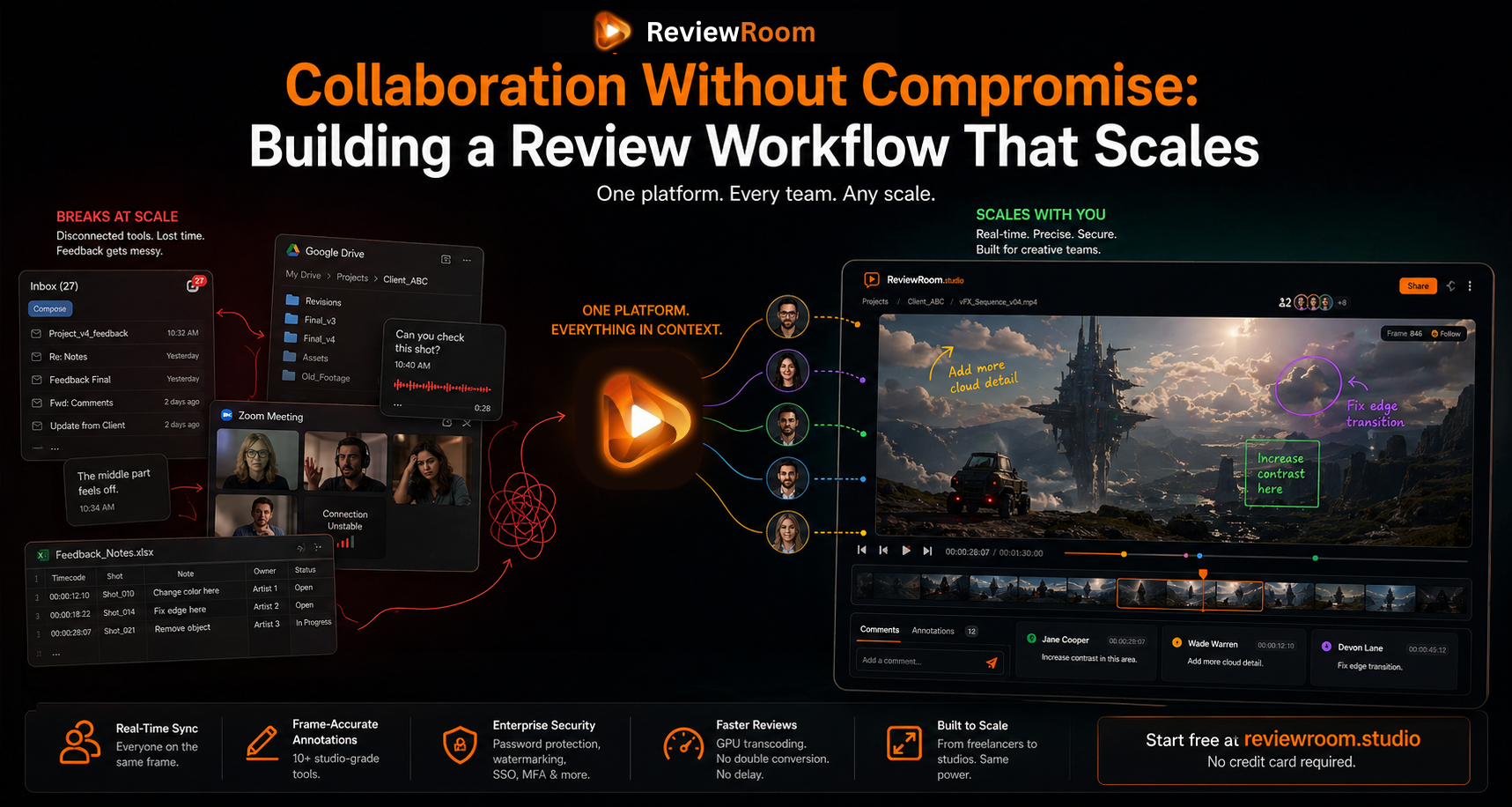
Stop Sending Google Drive Links: How to Share Your Demo Reel Securely
Password protection, browser-only playback, and instant revocation — everything Google Drive does not offer for demo reel sharing.
Your demo reel wins projects. It starts conversations. It is the first thing a client sees before they decide whether to reach out.
And most creatives share it with a Google Drive link and hope for the best.
Once that link is out, it is out. The client can forward it. Someone can download it. If the pitch fails, your work is sitting on a stranger's hard drive with no way to take it back. For unreleased, NDA-bound, or pre-launch work, that is not a minor inconvenience. It is a real exposure.
Google Drive's own support documentation is clear on this: you cannot stop how others share file content in other ways, even when download restrictions are turned on. WeTransfer is built around a download-first model where recipients download the file — and once it's on their device, you have no control over where it goes next.
That's where purpose-built tools matter. For creative professionals pitching work they cannot afford to have circulate freely, the difference is real.
Key Takeaways
- Google Drive's own documentation confirms it cannot stop others from sharing content they have already accessed, even with download restrictions enabled.
- Password-protected playlist links let you revoke access instantly by changing the password. No re-uploading, no new link — just change the password and every prior holder is locked out.
- Browser-only playback means clients watch in a browser with no download option. No copy of your work ends up on someone else's device.
- ReviewRoom Pro starts at $5 per user per month with a 14-day free trial and no credit card required.
What You Actually Need
Sharing a demo reel securely does not have to be complicated. The right setup looks like this:
- A link that only works with a password you control
- The client watches in their browser — no download required
- When the pitch is done, you change the password
- The link is now locked. Anyone with the old password hits a wall.
That last point is what most tools miss entirely. The ability to revoke access after sharing — without deleting the link or re-uploading anything — is what gives you actual control over your work.
Video Demo:
How the Platforms Compare
| Google Drive | WeTransfer | ReviewRoom | |
|---|---|---|---|
| Revocable Accesscut off access after sharing | No — You cannot stop others from sharing content they have already accessed | No — Once a file is downloaded, it is on the recipient's device permanently | Yes — Change the playlist password once and every prior link holder is locked out immediately. Nothing to re-upload, no link to regenerate. |
| Password-protected Sharing | No — Google Drive has no native password protection on shared links. Workarounds require third-party tools. | Per Transfer — Password protection applies per transfer only, not per playlist or collection | Yes — One password covers an entire playlist of videos and images. From $5/user/mo with a 14-day free trial. |
| Browser Playback | Partial — Video preview available but Google account often required; not designed for client-facing review | No — WeTransfer is built to transfer files. The recipient's primary action is downloading, not streaming in a browser. | Yes — The client opens the link, enters the password, and watches in their browser. No account needed. No download prompted. |
Google Drive lets you restrict a link after the fact, but it cannot stop how others share the file content in other ways once they have had access. If a file was already downloaded or shared externally, that copy is outside your control.
WeTransfer's model is built around file transfer, not controlled access. The recipient's core action is downloading the file — the content leaves your control the moment it is downloaded. Deleting a transfer stops access to the link, but any files already downloaded remain with the recipient.
ReviewRoom takes a different approach entirely. Access is controlled through a password on the playlist link. Changing the password immediately blocks access for anyone using the previous credentials.
How ReviewRoom Makes This Work
ReviewRoom is a video and image review platform built by creative professionals for creative teams. Its password-protected playlist sharing is designed for situations where access needs to be controlled, time-limited, and revocable.
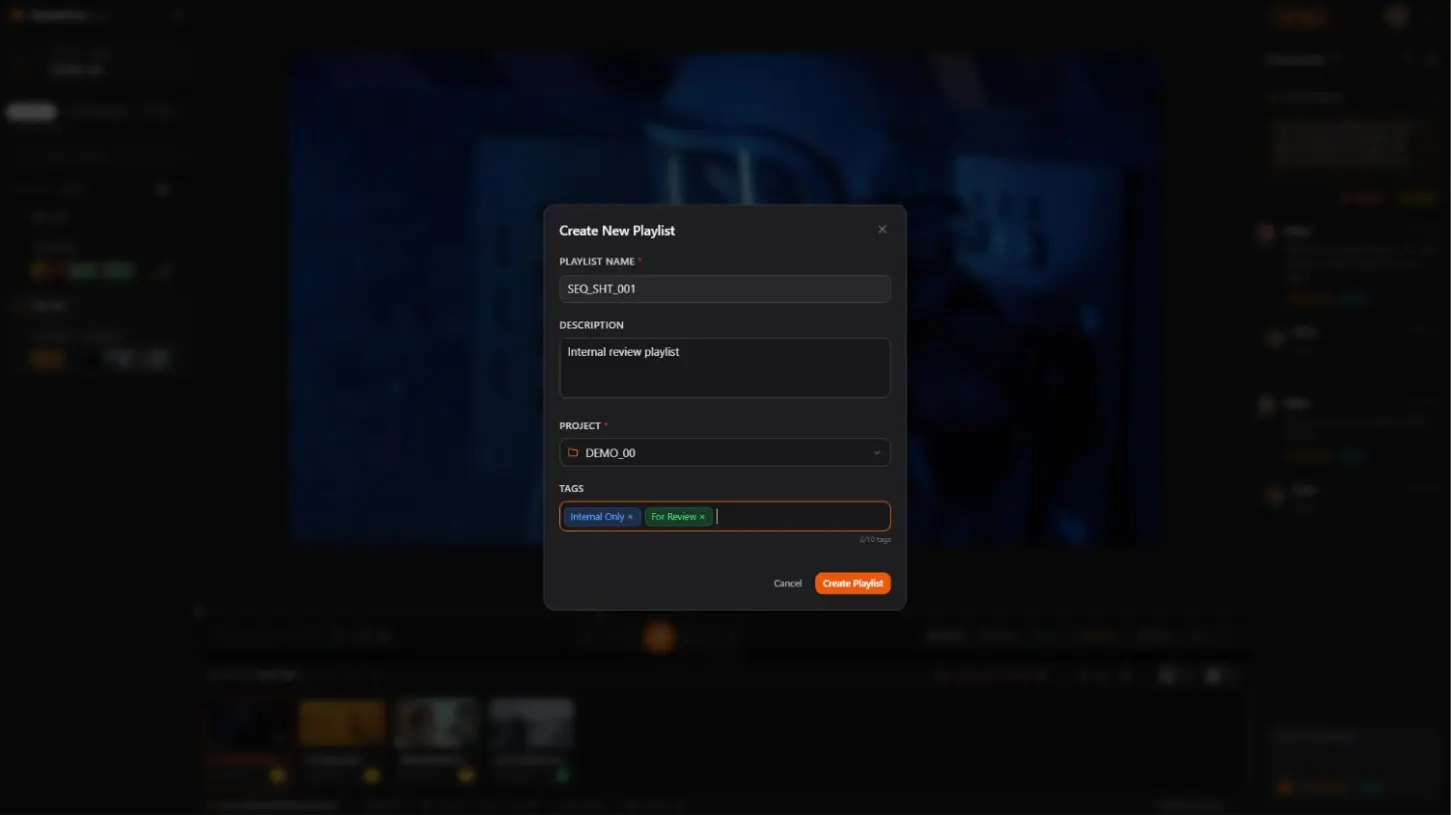
Create Your Playlist
Start by creating a playlist inside ReviewRoom. A playlist is your container for the reel — whether that is a single video, a sequence of clips, or a mix of video and images. You decide what goes in and who gets to see it. The password protection lives on the playlist link, which means one password covers everything inside it.
Upload Your Reel
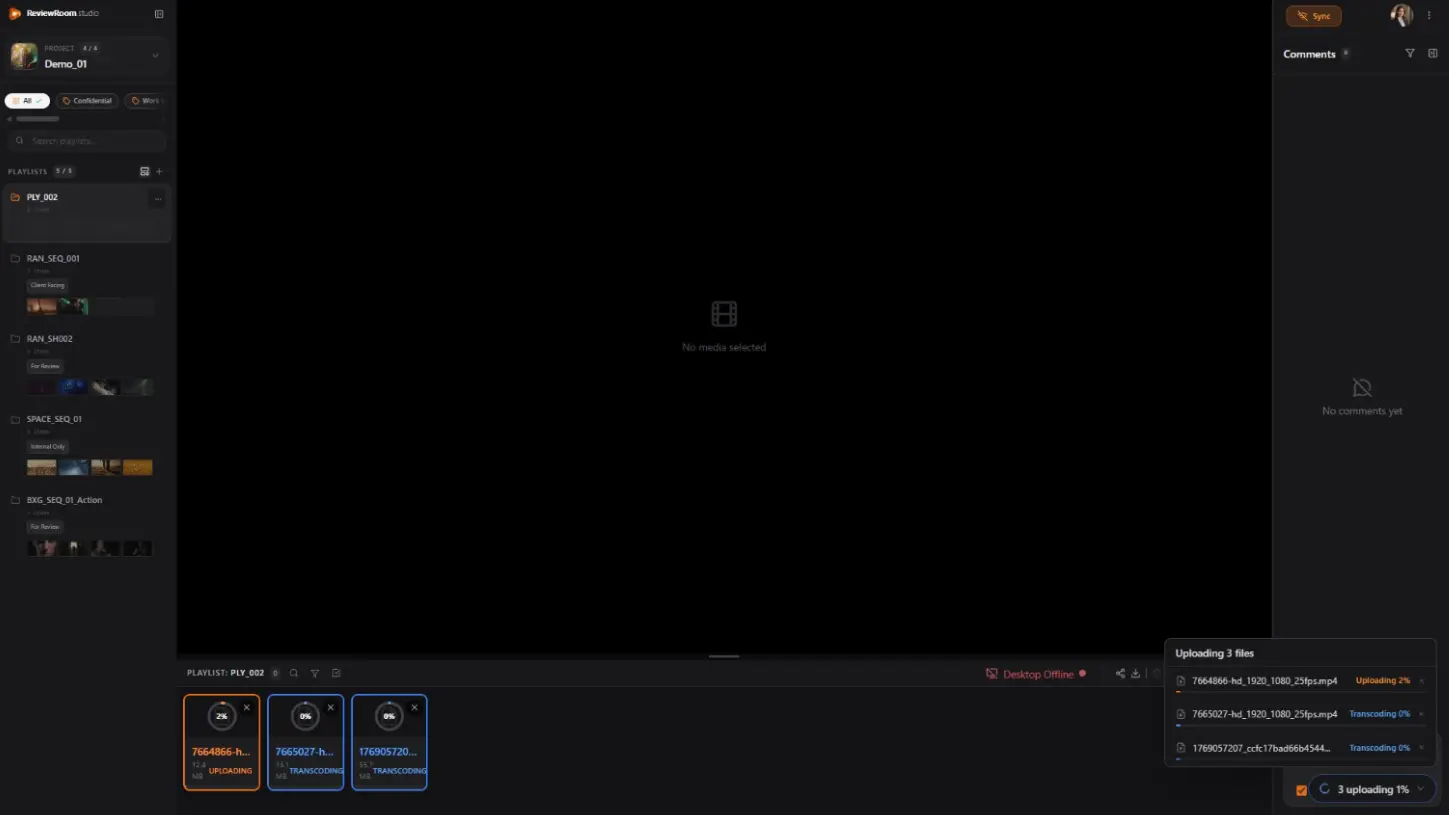
Standard formats like MP4, MOV, WEBM, and WMV can be uploaded directly by dragging and dropping into the browser. No additional software needed.
For high-resolution formats like EXR sequences, MKV, AVI, ProRes, and H.265, the ReviewRoom desktop client handles the heavy lifting. It transcodes your files locally using your GPU so your source files never leave your machine. Only the lightweight browser-ready MP4 gets pushed to the cloud. Your original files stay local while a browser-ready version is uploaded for review.
Set a Password on the Link
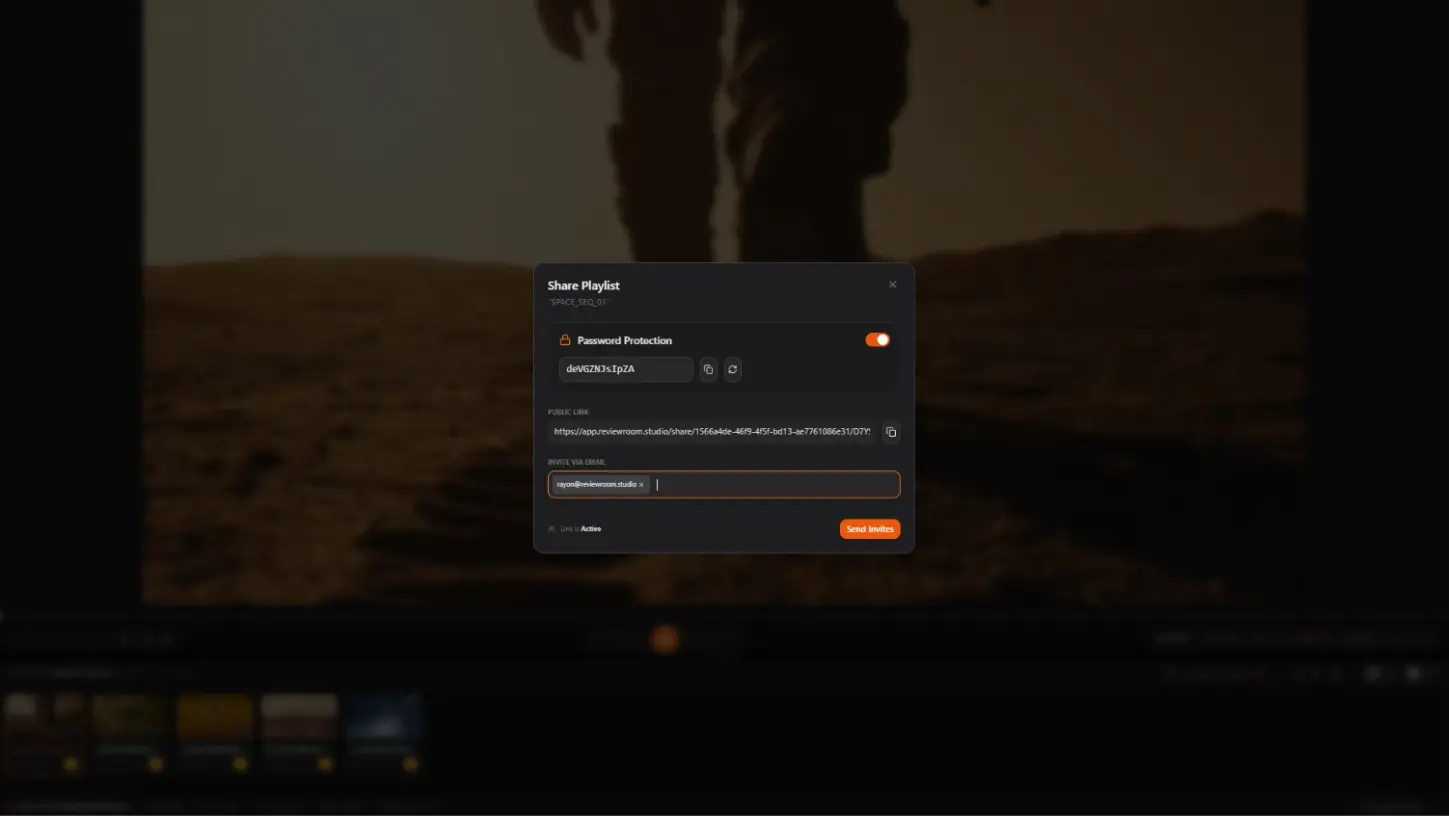
Generate a shareable link for the playlist and protect it with a password. The link does nothing without it. There is no guest account to create and no permissions panel to navigate.
Send It to the Client
They open the link in their browser, enter the password, and watch. No account needed. No download prompted. Clean, focused playback.
Change the Password When You Are Done
This is the step most sharing tools do not offer. Once the conversation ends or the pitch moves on, you update the password inside ReviewRoom. The link the client had is immediately dead. Anyone who saved it, forwarded it, or bookmarked it hits a wall. Your work is off the table. And if the same client comes back later, you share a new password. The playlist is still there. Nothing needs to be re-uploaded.
What Secure Sharing Looks Like
A motion graphics artist is pitching a studio. Their reel includes shots from two unreleased movies still under NDA. Sending a public link is not an option. Sending a download is worse — they have no idea how the studio stores files.
They create a playlist in ReviewRoom, upload the reel through the desktop client, set a password, and share the link with the studio contact. The studio watches in their browser. No download. No account needed on their end.
The studio passes. The artist changes the password. The link is dead. The NDA footage is no longer accessible to anyone who does not have the new credentials. Simple, professional, and completely in their control.
The exposure risk is real. Between 2023 and 2024, industry research recorded a 28% increase in insider-driven data exposure, loss, leak, and theft events. The most common cause is not malice — it is a well-meaning contact forwarding a link they should not have passed along.
The Signal It Sends
A password-protected review link does more than protect your work. It signals to the client that you run a professional operation. Google Drive links and WeTransfer downloads are what everyone sends. A clean, browser-based review experience with controlled access is what studios and agencies use internally. Showing up that way before the project even starts says something about how you work.
The viewing experience itself — no forced downloads, no ads, no distractions — is part of the pitch before you ever speak.
Getting Started
ReviewRoom's free plan includes core review tools and unlimited collaborators. Password-protected playlist sharing is available on the Pro plan starting at $5 per user per month, which includes 50 GB of storage and a 14-day free trial. No credit card required. Your reel is yours. It should stay that way.
Frequently Asked Questions
Q: Can clients download my demo reel from ReviewRoom?
A: No. ReviewRoom plays your reel directly in the browser without a download button. Combined with password protection, your footage stays under your control until you decide otherwise.
Q: What if my client shares the ReviewRoom link with someone else?
A: The link requires a password to open. Anyone who receives it cannot watch without the password. Change the password and every prior holder is locked out immediately — including your original client.
Q: Does my client need to create an account to watch the reel?
A: No. They click the link, enter the password, and watch in their browser. No account, no app, no setup required on their end.
Q: Is ReviewRoom free to try?
A: Yes. The free plan includes 2 GB of storage, core review tools, and unlimited collaborators. Password-protected sharing starts on the Pro plan at $5 per user per month, with a 14-day free trial and no credit card required.
Start sharing securely at reviewroom.studio
Try ReviewRoom free
Share secure, password-protected playlists with your clients today.
Start Collaborating Free